

I got laid off four months after coming home from Afghanistan. My wife was between jobs. We had some savings, but the clock was ticking. I didn't know what I was going to do. And going back overseas wasn't an option I was willing to take.
So I did what a lot of people did when the pandemic hit. I started looking online.
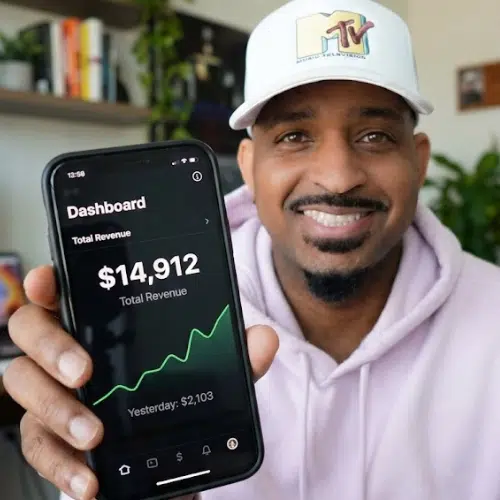
What I found was digital marketing. More specifically, I found affiliate marketing. And within the first 47 days of learning how it worked, I made my first $12,000 online.
That number changed everything for me. It told me I didn't have to clock back in anywhere. I didn't have to go back overseas. I could build something that worked for me, from home, on my own terms.
Fast forward to today, and digital marketing has completely replaced my income. I've had multiple six-figure years. I've earned commissions promoting products, received payment for sponsorships, collected platform bonuses from Meta, and built my own digital products along the way.
In this post, I'm going to walk you through the same five-step process I used to get started. No fluff. No hype. Just the actual framework.
Who This Is For (And Who It Isn't)
Before we get into the steps, let me be clear about who this is designed for. This is for people with an entrepreneur mindset who are ready to build something real. People who are dealing with job insecurity, inflation eating into their savings, or just looking for an income stream they actually own and control.
This is not for you if you're looking for a shortcut or expecting to make $100,000 in two weeks. That doesn't exist. I don't care who told you it does. What I'm going to show you requires a real time commitment and a willingness to invest in yourself. If you're not ready for that, this post isn't for you.
Step 1: Pick a Niche That Actually Makes Money
The first thing you need to do is choose a niche. And I'm going to make this simple for you: health, wealth, or relationships. That's the list. These are what we call evergreen niches because they have always made money, they make money today, and they will keep making money no matter what happens in the economy.
You don't have to pick something you invented. You just have to pick something within those three categories that you can talk about consistently. If you're a CPA, go into the wealth niche and teach people about taxes. If you know anything about fitness or nutrition, go into health. If you have experience in relationships or communication, there's an audience for that too.
Pick your lane and commit to it. The overthinking kills more people's online income than anything else.
Step 2: Build a Brand Around Your Niche
A brand is just the way people recognize and relate to what you do. You don't need a logo designer or a branding agency. You need to show up consistently on a platform or two and create content around your niche.
My brand is built around solopreneurship, which means I teach people how to run an online business on their own using automated systems and AI tools. Every piece of content I make reinforces that. It's clear, it's consistent, and people know what they're going to get when they follow me.
You can build your brand on Instagram, TikTok, YouTube, or Facebook. Pick the platform where you feel comfortable showing up and start there. If you don't want to show your face, a faceless brand works too. Plenty of successful accounts do it that way.
Step 3: Set Up Your Monetization with Affiliate Marketing
Digital marketing has a few different paths. You have ad revenue, brand deals, digital products, and affiliate marketing. For beginners, affiliate marketing is the most accessible and beginner-friendly starting point.
Here's how it works. You find a product to promote. When someone buys that product through your unique link, you earn a commission. Some commissions are $50. Some are $500. Some are over $1,000 per sale. You can find products to promote through platforms like Digistore24, which is free to join and has hundreds of products across different niches.
You don't create the product. You don't handle customer service. You just promote and collect commissions.
Step 4: Build an Income System That Works While You Sleep
This is the part most beginners skip, and it's the reason they don't make consistent money. Your income system is the automation behind your business. It's what turns one piece of content into multiple sales without you having to manually chase anyone down.
The basic structure looks like this. Someone watches your content and sees a call to action. They click a link and land on a capture page where you collect their email address. Once they enter their email, they get sent to the sales page for the product you're promoting. If they buy, you get a commission. If they don't buy right away, their email is saved and your automated email sequence follows up with them over time.
Most people don't buy the first time they see something. It takes multiple touches. That's why your email list is one of the most valuable assets in your business. Tools like System.io, Aweber, or ActiveCampaign make this setup straightforward, even if you've never done it before.
Step 5: Drive Traffic Into Your System
Once your system is set up, your job is to send as many people through it as possible. Traffic is just people seeing your content and clicking through to your funnel.
There are two ways to do this. Free traffic comes from posting consistently on social media, creating YouTube videos, writing blog posts, or engaging in online communities. It takes longer to build but costs nothing and compounds over time.
Paid traffic means running ads on platforms like Google, YouTube, TikTok, or Facebook. It's faster, but it costs money. My recommendation is to start with organic traffic, get your first commissions, and then reinvest a portion of that income into paid ads to accelerate your growth.
The Part Nobody Talks About: Consistency Wins
I've just given you the whole framework. It's not complicated. But simple doesn't mean easy.
The people who actually make money with this are the ones who show up every day and keep going when results are slow. Most people quit too early. They run the process for a couple of weeks, don't see thousands of dollars dropping in, and bail. Then they go looking for a new shortcut. And the cycle repeats.
I made $12,000 in my first 47 days. But that happened because I committed fully and didn't stop. If I had quit at day 30 because nothing had happened yet, you wouldn't be reading this.
Take the steps. Build the system. Create the content. Follow up with your list. That's the whole thing.
If you want to watch the full masterclass, I covered every step in detail. The link is below.




