

With the growing financial status of consumers, Real Estate continues to offer cutthroat competition, particularly in growing communities. Advertising about your property listings and standing out in the crowd isn’t an easy task.
There are several companies and promotional tools that you could use for expanding the base of your real estate business. If you’re looking for a means to spread awareness about your services and get potential customers, ClickFunnels is a powerful tool for you!
This article aims to educate you about how ClickFunnels can help you produce tremendous payoffs as a real estate agent. We’ll also have a look at a few other successful strategies to obtain the best results.
ClickFunnels For Real EstateUpdated on: Jul 3, 2020
Summary:How ClickFunnels can help you produce tremendous payoffs as a real estate agent
How ClickFunnels Funnels Can Help You in Real Estate?
A Real Estate Sales Funnel is a series of web pages that customers navigate through, starting as anonymous visitors and ending as qualified leads.
ClickFunnels is an online sales funnel builder with an established name. It can help you achieve higher profits by utilizing real estate sales funnels in your process.
Here are some of the ways in which ClickFunnels can be useful for your business as a realtor.
Design an Effective Landing Page with Ease.
With the simple, user-friendly interface of ClickFunnels, you can easily build a great landing page in just a few minutes. Yes, it’s possible, even without any experience!
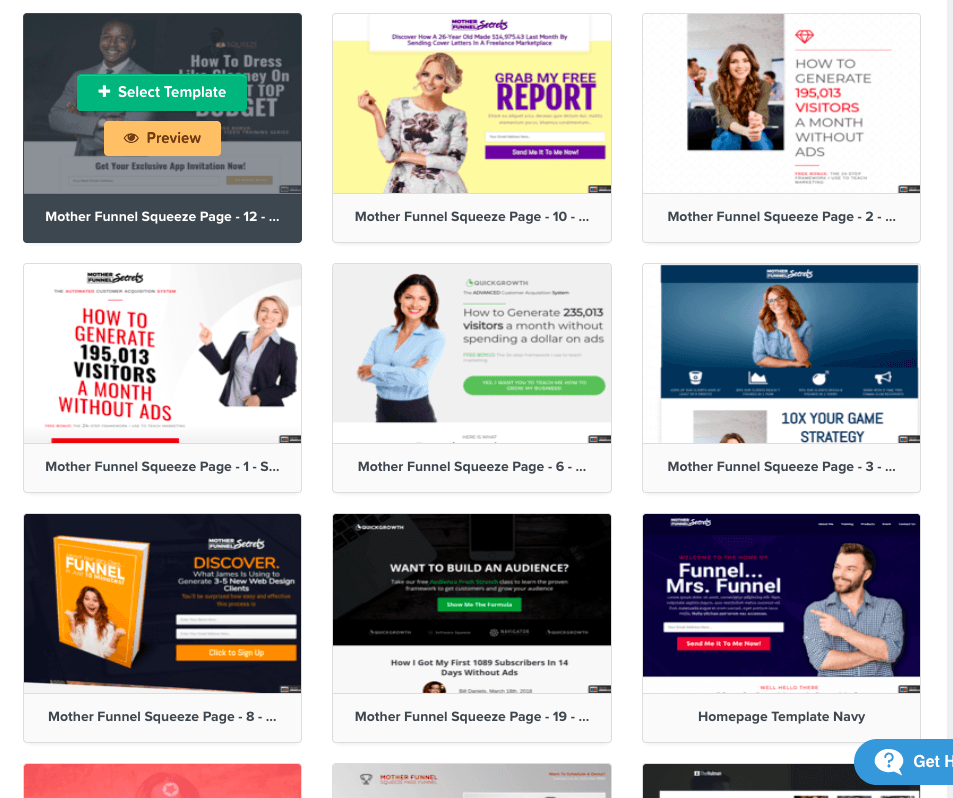
This effortless tool works as smooth as it gets; all you’ve to do is to follow the simple on-screen instructions. It’s just a drag-and-drop operation, that even a seven year old can perform. There’s no code that has to be written or algorithms that need to be tweaked. All that’s done at the back-end.
You can choose from tons of custom templates available with ClickFunnels to make your page look original.
Stay in touch with Clients through Automated Replies.
An important principal in sales is to achieve high conversion rate; this can be ensured by maintaining contact with your potential client.
ClickFunnels provides you with an automated response system, which allows you to do this with ease. You can send automatic emails to your prospective customers, who’ve provided you their contact details through your sales funnel.
Research shows that real estate falls comfortably in the approximate median among all industries with an email open rate of 28.5%, which is among the best in email advertising Industry.
Various studies indicate that over 98% text messages are opened. Moreover, these messages are read within three minutes itself!
The quicker you contact your potential customer, the higher your chance of conversions become.
Simplify the process with software integration
You may be using some or the other software for your real estate business.
But with ClickFunnels, it’s very simple to integrate 3rd-Party software in your online functioning. With just a single click, you can integrate your CRM or any other software that you use for your work.
In addition to this, ClickFunnels also offers other tools, which can easily merge with your sales funnels. One such tool is called Follow-Up Funnels, which lets you re-target your leads through emails and messages.
Up-selling Has Never Been Easier
Up-sells allow you to have continued engagement with your potential customers. They can result in greater conversion rates for you.
This makes up-sells an important part of your real estate marketing strategy. For example, you can add an up-sell to your sales funnel to capitalize on any downloads of seller guides from your site.
ClickFunnels makes it extremely simple to add an up-sell page. You can do it with just a few clicks, allowing you to offer the most to your clients.
Example Of Using ClickFunnels For Real Estate
Below is an example of a ClickFunnels for real estate agent funnel. It is designed to target people who have interest in buying homes in the target area. It has four stages.
In the first stage, the funnel presents an opt-in form to help collect some information in exchange for a list of homes that have been put up for sale. It also includes an option to offer an additional freebie.

As soon as the visitor fills the first opt in form, the second funnel page lets them know the listings are on the way. While also offering an opportunity for more information or a private home tour.

The 3rd page is a form for your prospect to fill out to schedule a tour.

Then the final funnel page is just a Thank You page, letting them know you will contact them shortly.

If you want this real estate funnel for yourself, then click the button above to download it. It’s free for you to use in your Real Estate business.
Ways to promote your Real estate funnel
While there are many ways to drive traffic to your funnel to get real estate leads, I recommend using the methods outlined in the video above. That’s utilizing Facebook, Instagram and YouTube as free organic sources.
For Facebook, you can design your own Profile Funnel that you can link to your Real Estate Funnel to send leads through.
For Instagram, you can add the URL of your Real Estate Funnel to your page bio.
For Youtube, you can create video tours and add your Real Estate Funnel link to your video description or as a Call-To-Action in your videos.
If you want quicker traffic to your funnel, then you should tap into Google and Bing Ads. It’ll cost a bit of money for this specific niche, but the returns will be worth it.
Also, as a bonus, you can add your funnel URL to the signature area of your emails.
Other Smart Strategies of Real Estate Marketing
The above are a few ways how ClickFunnels can be of great help for the marketing of your business in real estate.

But there are other strategies and practices you can engage in to boost your sales. Some of these are discussed below.
Unlock the Power of Social Media
Social media sites such as YouTube, Facebook, Instagram, etc offer unique and extremely effective ways to promote your business across the world.
Using Facebook
Facebook allows you to connect to interested people on a larger scale and hence creates greater opportunities for your business.

For example:
Set up a professional photo of yourself, a banner that relates to the profession you are in with a CTA included. Use your intro to clearly state what you do and provide a link to your service (real estate funnel).
What this does is act as a way to drive FREE leads for you. Also, when you post a new listing, you can write something like “For more property in “city” click here: Your Link”.
Using Instagram
With Instagram, you can share and post enchanting pictures and videos of the properties that are available with you for sale.

For example:
Set up a professional photo of yourself or company. Include all your neccesary information as shown above. Then provide a link to your service (real estate funnel).
What this does is act as a way to drive FREE leads for you. Also, don’t forget to take high quality photos of real estate properties and clients that have bought.
Using YouTube
With Youtube, you can share and post awesome videos of the properties that are available with you for sale.

For example:
Set up a professional banner of yourself or company. Include all your neccesary information as shown above. Then provide a link to your service (real estate funnel) as you see in the bottom right-hand corner of the banner.
What this does is act as a way to drive FREE leads for you using your videos.
Doing this costs almost nothing, the social media platforms offer you far-reaching presence. Never underestimate the power of social media!
Set Your Goals and Work Towards Your Vision
Knowing what you want to achieve is an important aspect of being successful. You must therefore, have clear objectives and goals to achieve.
Before setting up goals, you should create a vision for yourself; this entails that you must first see, where you want to reach in your business.
If you have no goals or vision, you’re likely to face a lot of hardships and may even bear losses.
In addition, when you have set goals, you can plan out how you are going to reach them. You can make strategies and acquire skills only when you know what you’re aiming for.

>> Click Here To Watch The FREE Summit <<
Monitor Your Progress
Once you’ve set goals, it’s important to keep track of your progress. In order to effectively monitor your growth, you must have a timeline to do so.
For example, if you wish to improve the lead generation for your real estate business, you’ve got to set a practical goal with an attached timeframe.
You can plan to generate 1000 leads within a year and then monitor your progress on a monthly basis. This allows you to do midcourse corrections, if you’re lagging behind your monthly targets.
You could further breakdown your goal into weekly targets for ease of tracking. If you’re able to meet your smaller targets, you’ve got better chances of achieving your ultimate goals.
Regular monitoring is very critical because, if you don’t do that, you can easily lose your vision in the long run.
Real Estate Advertising Made Easy
Use ClickFunnels and the other miscellaneous best strategies mentioned above and achieve your targets with ease.
You can take the 14 days free trial of ClickFunnels and embark on the journey to your success.
Try it yourself and see the difference that ClickFunnels makes in your real estate business.
3 Things You Should Do If You’re Considering Using ClickFunnels For Real Estate
Getting A Free Copy Of Russell Brunson’s Dotcom Secrets
The DotCom Secrets book is FREE. You just have to cover the shipping cost. It’ll teach you many advanced online marketing techniques to grow your online business using sales funnels.

Getting A Free Copy Of Russell Brunson’s Traffic Secrets
Traffic Secrets is a FREE book. All you need to do is cover the shipping cost.
This book will teach you how to get thousands of visitors to your funnel and fill it with the right traffic that is ready to convert.

Sign up for a ClickFunnels Free Trial
If you don’t have a ClickFunnels account yet, you can sign up for the 14 days free trial.
This way, you’ll be able to test out the software and see if you really need it.
Also, during the free trial period you’ll get instant access to all of these bonuses:

Have an experience to share about ClickFunnels or any other marketing strategy? Comment below to let the whole world benefit!

Mike Garvey JrFounder of BrandTheBoss.com
Work From Home
Want to learn how to start an online business and work from home like I do?
Affiliate Disclaimer: We hope you liked this ClickFunnels for Real Estate article. Please note that some of the links inside this article may be affiliate links to ClickFunnels. That means that if you click on one of the links and sign up, we may be compensated for it. If you do happen to click, we really appreciate it! Any money we make keeps this site running smoothly and allows us to keep writing these high-quality reviews.




