

One thing most successful businesses have in common is they all spend millions in marketing to promote their product, service and brand to potential customers.
Because of the digital revolution and explosion of internet marketing recently, most campaigns have moved from print media to some form of digital media. Facebook Ads, Google Adwords, YouTube and Podcasts are all examples of marketing channels that most businesses are using currently. Those marketing channels are well known and can be very beneficial for the entrepreneur with a deep understanding of how to best use them to get leads, sell products and more.
But, what if that’s not you? What if you’re new to internet marketing and want an easy way to capture leads, drive traffic and build your business? What’s the best way to do that without spending a lot of time and money learning a new marketing platform?
My answer: Solo ads.
What Are Solo Ads?
A solo ad is an advertisement sent directly to an existing email list. It’s basically “hijacking” an email list that someone else built. You might be thinking, “why would I send traffic that I worked hard to create and capture to someone else’s email list?”
That’s a great question.
There are quite a few benefits to using solo ads. As a new affiliate or internet marketer, the most precious resource you have is time. With solo ads, you don’t have to spend time cultivating the perfect audience to run Google Adwords or Facebook Ads. You can send out your offer via email to a highly targeted list of people who have already expressed interest in a similar market.
Instead of spending time trying to figure out exactly who is interested in your products or services, you can simply plug into an existing list of people who have already agreed to be alerted about offers just like yours.
Solo ads are proven, time-saving way to get started with online marketing because they take the guesswork out of the process, allowing you to focus solely on turning your leads into customers.
How to find the best email lists for solo ads?
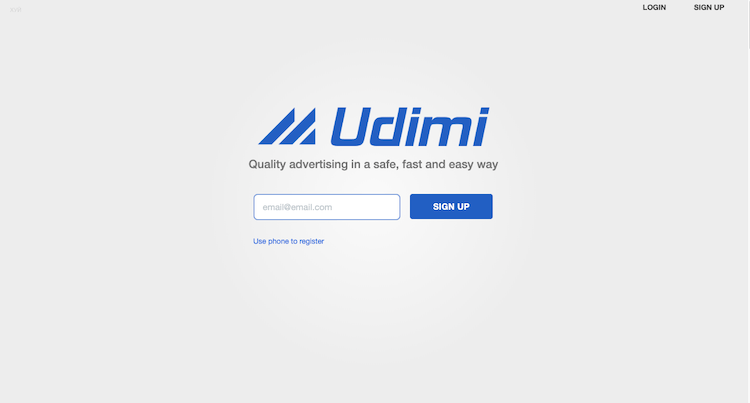
You’re probably wondering where to find this mythical list of highly curated people ready to buy exactly what you’re selling. That makes sense. Do a quick Google search of “solo ads” and you’ll find there are quite a few online marketplaces with the sole purpose of offering them. The one I recommend and have used in the past is Udimi.
While there are numerous places to find solo ads online, it’s important to understand that you won’t be getting something for nothing. Essentially, by using solo ads you will be “renting” a list for your offers. With that in mind, you can see why someone with a targeted list would be willing to share their audience …for the right price.
Think of it like this:
When an internet marketer uses YouTube to grow their audience, they have the option to have ads appear on their channel. The ads shown allows the advertiser to “borrow” the internet marketer’s already established audience to market their product or service. That’s a real world example of how solo ads work.
Who should (and shouldn’t) use solo ads?
When you hear about a new way to market your business that really works, naturally you want to jump all over it. But not so fast. Is it really the right move for your business? Is it the right time to use solo ads? Every marketing technique doesn’t work for every business type. So let’s talk about who benefits from using solo ads the most (and who doesn’t).
Crowded Niche? Solo ads are for you
There’s this idea that in order to make money online, you have to choose a niche that either no one else has heard of (bad idea, FYI) or no one else has done well in. While I’m a fan of taking a popular, yet underserved niche and blowing it up (in a good way), I don’t think you have to reinvent the wheel to be successful online.
For example, if your passion is fitness and you want to offer online fitness training, you can do that and succeed. Sure, it’s a popular and crowded niche. However, you can save time and grow your business by using solo ads instead of spending time creating a huge audience to promote your products.
Short on money? Solo ads are for you
Trust me, I get it. You’re just starting out and want to grow your business without spending yourself into the poor house. I’ve been there. That’s why I used solo ads when I first launched my business. If you don’t have much to invest in a marketing campaign, consider using solo ads. Basically renting an email list (or a few of them) is an inexpensive way to market; especially when compared to other forms of marketing like Facebook Ads and boosted posts.
Launching new products or services? Solo ads are for you
Product launches can be super exciting. If done right, they can make you a lot of money as well. For seasoned internet marketers, using solo ads to help boost their sales and offer valuable goods and services to an already interested list is just a no-brainer. That’s because they understand the power of quickly capturing, and capitalizing from, interested parties. Sending one email can get their product in front of hundreds of highly targeted potential buyers.
Don’t have a defined product or service? Solo ads are NOT for you
Solo ads work for internet marketers who have a deep understanding of their niche because they have already identified their ideal customer. If you are still in the beginning stages of building your business and you don’t quite know who you should be speaking and selling to, buying solo ads won’t help you. Instead, take a step back, learn who your ideal client is and then revisit the idea of using solo ads.
The best way to create an effective solo ad
Creating an effective solo ad can mean the difference between turning email list members into paying customers or simply wasting money marketing to someone else’s audience. If you’re not sure about the best way to create a solo ad that converts, don’t worry. In some cases, the person providing the email list will supply you with a marketing template to use as well. People do this because although you are “borrowing” their audience, they still want your marketing material to be consistent with the brand they’ve spent time creating.
If the person you’re working with is a little more flexible with their audience and doesn’t provide you with much direction, you’ll have to come up with your own ad copy. In that case, here are a few tips to help you craft an ad that converts:
Subject lines matter
If you’ve done any direct response writing before, then you know the importance of writing a catchy subject line that hooks the audience right away. We’d all love to write something like, “open this email” in the subject line and get monster responses, but it doesn’t work that way. Instead of stressing yourself about writing the best subject line on the planet, simply take a page out of Russell Brunson’s book and scope out your competition. Sign up for email lists to a few influencers in your industry. Then, pay attention to the types of subject lines they use for their email marketing campaigns. Don’t copy, but do get inspired to create great copy based on what what you observe them doing.
Know your audience
It’s important to know your audience because you need to speak to their issues, pain points and interests when crafting solo ads that work. The goal of using solo ads is to gain new customers and build your own audience in the process. So, your offer has to provide the solution to whatever issues they are having.
Once you have identified the audience’s pain points, you need to show exactly how your product or service will help them. You can do that by showing how what they are currently doing to address their issue either isn’t working at all or isn’t working as well as it would if they were using your product or service. Simply identify the value of your product or service and communicate it. You’ll know that you did a good job of that by how many people in the audience take you up on your offer.
Sell to them, not you
Many internet marketers make the common mistake of creating solo ads without the audience in mind. It’s an easy mistake to make. As business owners, we spend so much time in our business that when it’s time to create an offer, we create it based on what we think. But, we don’t fill our own wallets. So you have to “get out of your head” and speak to your audience in a way they will understand.
That means leaving the technical jargon and entrepreneur-speak out of your copy. Instead, focus on answering the following:
“Who is your audience. What do they like and what will move them to go from potential customer to buying customer?”
Once you have identified who you want to talk to in your solo ad, create a message they will buy into. Be authentic, but meet your audience where they are.
What tools do I need to get started with solo ads?
Truthfully? None. Because solo ads are usually run from a platform, like Udimi, you don’t need anything special to get started. As long as you have access to a computer and a reliable internet connection, you’re good to go..
What’s the best way to get started with solo ads?
Because there are quite a few solo ad platforms to choose from, you need to choose the best one for your business. As a new entrepreneur, you may be tempted to purchase the cheapest list in your niche. Think twice. Getting started with cheap ads can be a costly way to learn that you get what you pay for. Sure, you can find cheap deals for solo ads on websites like Fiverr. But, those lists are cheap because it’s a gamble on whether or not you’ll see any return on your investment.
Here’s some industry insight: Some solo ad providers build their email lists using email scraping services. As a result, their lists are full of people who have not opted in to receive any correspondence, email or otherwise, from them. So anything you send will be, at best, ignored or at worst, marked as spam, which could get your email address blocked.
A quick way to verify someone’s list is legit is to sign up to it yourself. If you get a lot of irrelevant offers to your inbox, then you know their list is not quality. On the other hand, if you get offers and content that is relevant to your niche and valuable to you personally, then you know you’re on the right track, regardless of cost.
The best source for solo ads is…
I’ve mentioned it a few times in this piece, but it’s worth repeating: Udimi. I’ve used other lists (including ones from Fiverr) and hands-down Udimi has the best quality solo ads for the price. The platform is easy to use and the providers have lists of quality buyers who have knowingly opted-in to be contacted. That’s my preference, however, there are others to choose from. Whatever you end up choosing, make sure they offer a quality product for a fair price so you can get started growing your audience and your business.

Did This Help You? If so, I would greatly appreciate it if you commented below and shared on Facebook

Mike Garvey JrFounder of BrandTheBoss.com
Work From Home
Want to learn how to start an online business and work from home like I do?




