


What if it only took 15 seconds to get Free Leads for your business? Would that be beneficial?
15 Second Free Leads TikTok Course
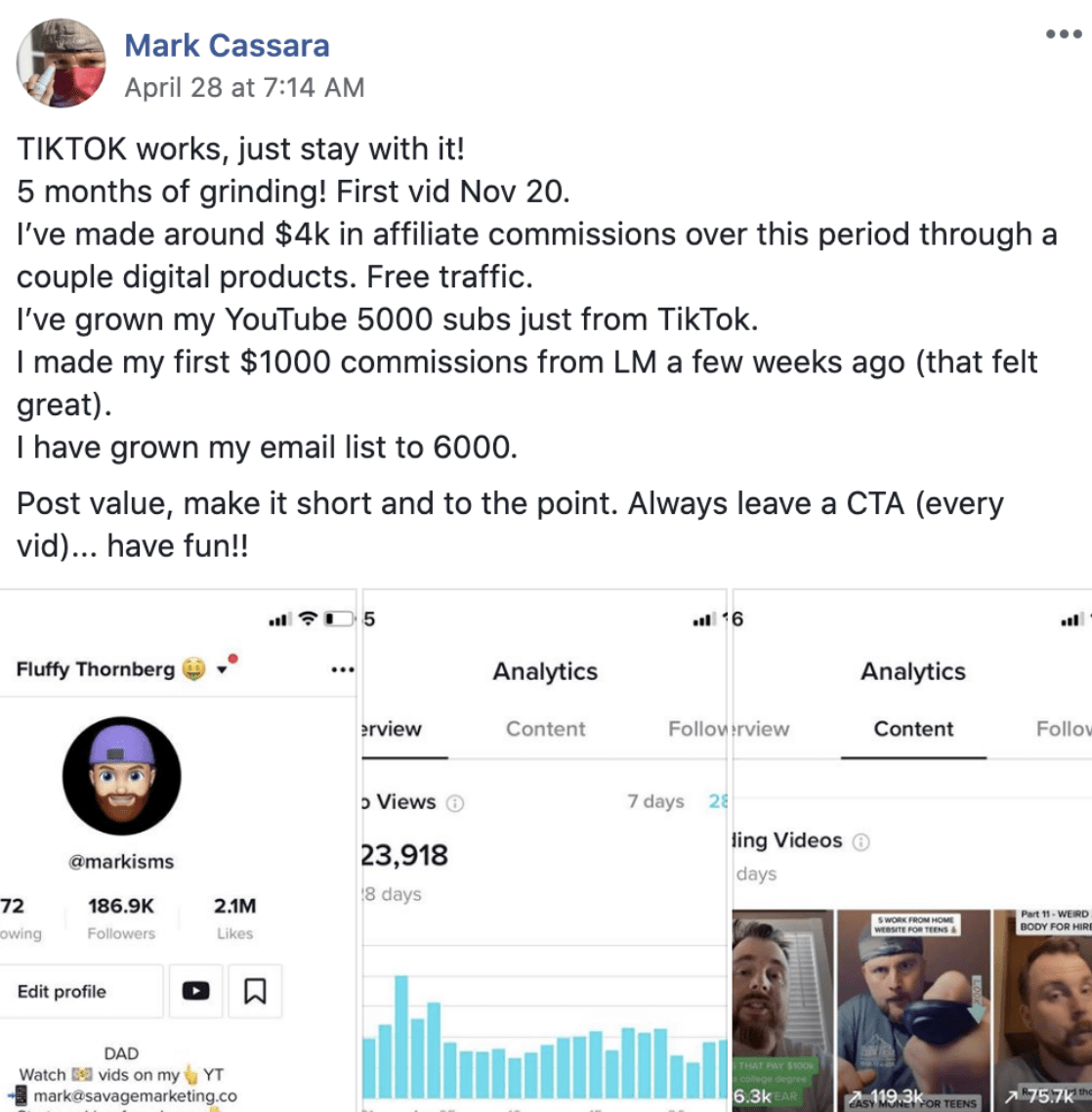
If so, continue reading below, because there is a new TikTok Course teaching you just that.
What Is TikTok?
In the beginning it was a video sharing App known as Douyin in China and TikTok to the rest of the world. In 2018, its creators decided to merge it with a more common App called Musical.ly and migrated all their non-Chinese users to the new Tiktok App. They did, however, not get rid of the old Douyin App as it is still used in China.The new TikTok App was not taken too seriously, at least not by business people. It seemed like a simple app where mostly young people would share lip syncing short music videos. But, with time the App has also caught the attention of business professionals.
The App encourages users to create and upload short videos up-to 15 seconds long or 60 seconds stories type videos. You can additionally make them shorter if you desire, however those are the predetermined video clip length times that you can choose from inside the TikTok app.
Update: TikTok now allows videos up to 10-mins in length & has created the "story" feature similar to Instagram.
What makes TikTok Such A lucrative platform right now?
TikTok is a new platform that competes with major social media platforms such as Facebook and Instagram. TikTok wants to grow as rapidly as possible, thus it provides a lot of free traffic to their platform's users.
Tiktok currently offers numerous opportunities. As the platform evolves, you will be required to pay for traffic, as is the situation with Facebook and Instagram.TikTok is the best platform nowadays for swiftly growing your business and gaining a large number of followers. TikTok allows you to go viral more easily than any other platform.
The Multiple ways to make money with TikTok
Are you one of those who believes TikTok is just for entertainment purposes, such as dancing and singing? You are, however, mistaken. TikTok is one of the top social networks in 2022 and beyond for earning money and growing an income.
1. Grow Profile accounts and sell them
TikTok allows you to establish a following around a specific niche, build a community around it, and then go out to marketers who want access to those followers and sell your profile account to them.
2. Influencer marketing
Influencer marketing, like other social media platforms, is a way to make money. Tiktok influencers can be hired to advertise your products or services and create sales through their followers.
A new way to do that is through the TikTok Creator Marketplace.
3. Coaching
Many people require assistance with TikTok. If you are a TikTok guru, you can earn money by selling your TikTok coaching services to others.People will pay money to employ you as a consultant to help them design their strategy, promote their brand, and grow their following because this is still a relatively new social platform.
4. Affiliate marketing
This is by far my favorite way to earn an income. Tiktok allows you to promote your affiliate offer through your content. TikTok allows you to reach the greatest number of people with the least amount of work. As a result, with a strong affiliate offer, you will be able to make a lot of money.The 15 Seconds Free Leads training teaches you how to use TikTok in your affiliate marketing. Legendary Marketer designed the 15 Seconds Free Leads training, which is a must-have if you are just getting started with TikTok.
How To Get Started With TikTok And Grow Your Following
When signing up with TikTok you'll need to decide on an individual profile or company profile.
I created a company profile, and I advise that you do the exact same when signing up to TikTok. This will allow you to use the analytics feature for your TikTok profile as well as see how your video content is performing over time.
To get going, download the TikTok app on your phone. Download it for Android here or download it for iPhone here.When you have actually created your account, I encourage you to see what others are doing on the app.Scroll through and watch various videos. Get a feel for the types of content being created within the particular niche that you're interested in. This is vital if you're looking to create a brand that you can later monetize on TikTok.
By focusing on a particular niche as well as producing content that's tailored toward a certain audience, things will come together much easier in the future when you want to start building an email list, promoting products, and creating your own.
Outside of that, just start creating some short clips in order to get a grip on the app. As soon as you've made a couple of video clips, you'll begin to see how easy everything is.
15 Second Free Leads TikTok Course By Legendary Marketer
The 15 Second Free Leads TikTok course from Legendary Marketer walks you through everything you'd need to thrive and grow a huge following by creating leads on auto-pilot from TikTok.
If you didn't know, Legendary Marketer teaches you the fundamentals of internet marketing, while allowing you to earn a commission by referring others to the program. Currently thousands of people have grown their income by joining the program.

Below is a breakdown of what you'll learn inside the TikTok course:
Part 1: Endless 15-Second Video Topics
This section is taught by Jake Thornhill. He walks you through the exact method to pumping out 100-150 content ideas for TikTok in minutes. This is exceptionally handy to be able to have a plan going forward when attempting to grow your company brand name on the platform. He also breaks it down into simple 7 basic steps that are super easy to follow and execute.
Part 2: The Perfect TikTok Profile
This section is taught by Matt Steinman. He walks you through the process of establishing a company profile for TikTok. There are a few more tools at your disposal in a company profile to use vs a personal that will certainly help you monetize your brand inside TikTok in no time.
Part 3: Get TikTok To Share Your Videos
This section is taught by Jonathan Montoya. He discusses how to create video clips on TikTok that are shareable. In doing so, you can grow your TikTok following like crazy even if you're just starting. He goes over the Batch Theory entailing a point system that TikTok uses to share your video clips to more people. He additionally shares the Hashtag Action Approach to get your videos seen more by your prospective customers.
Part 4: Post Exactly What People Want
This section is taught by Dom Bavaro. He teaches you his approach on how to upload videos that people want to watch. There is a method to the madness and you'll learn it here.
Bonus: A Quick & Dirty Guide To TikTok
There's also a benefit video clip that acts as a whole walk-through of TikTok to get things up and running. So if you're technically challenged, then not to worry.
You can buy the 15 Second Free Leads TikTok Course below.
How Do You Go Viral On TikTok?
To keep it real, there's no step-by-step method to going viral on TikTok.Most of the time you'll discover that video clips you expected to flop are the ones that end up coming to be the most popular videos on your profile.I recommend checking out the other content creators in the same niche that are producing the same type of content and collect ideas from those videos.
Afterwards, try staying consistent over time to grow your views & followers. You likely won't get 1,000+ views on your first TikTok video or even your initial 10 TikTok videos.However, if you stick with creating original content on a regular basis, TikTok will reward with more views and eventual followers.
My Final Thoughts On 15 Second Free Leads
If you've struggled to grow leads from social media, then TikTok seems to be a goldmine, at least for the moment. There are a lot of newbies seeing success using the platform and it'd be wise to learn from some of those same people.
The 15 Second Free Leads course by Legendary Marketer is only $1.00, which is an absolute steal. So if growing your business using TikTok is of interest to you, then stop wasting time and grab the course.
Did This Help You? If so, I would greatly appreciate it if you commented below and shared on Facebook




